Keep agents running after closing the local terminal
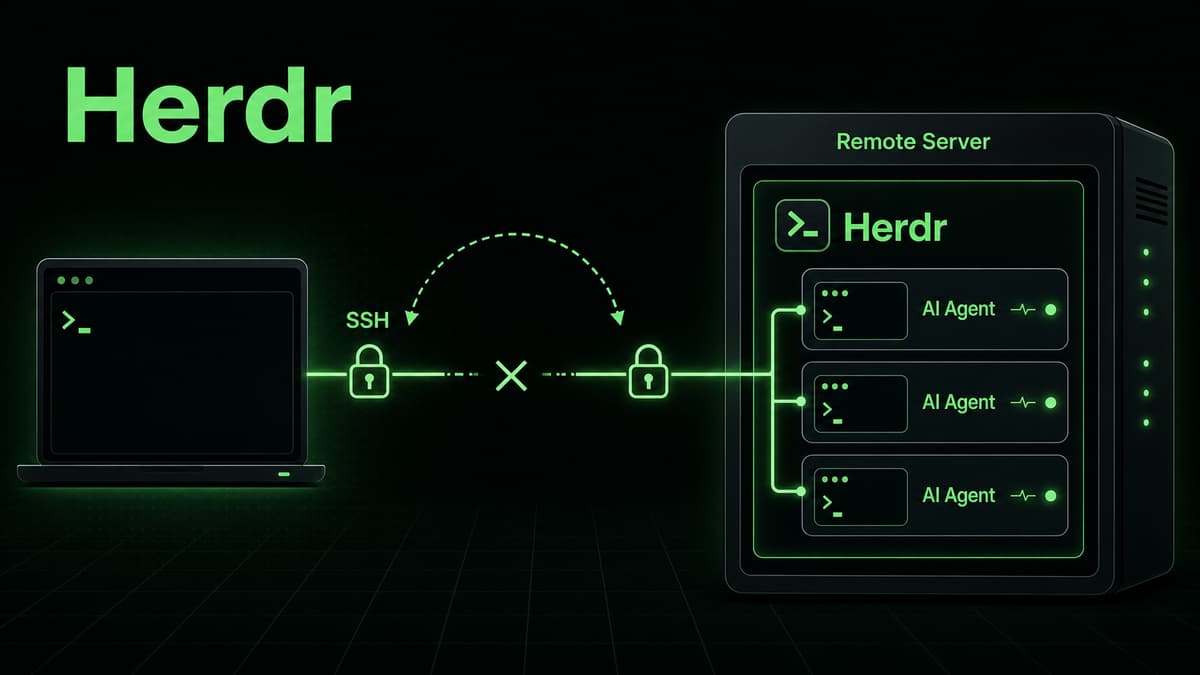
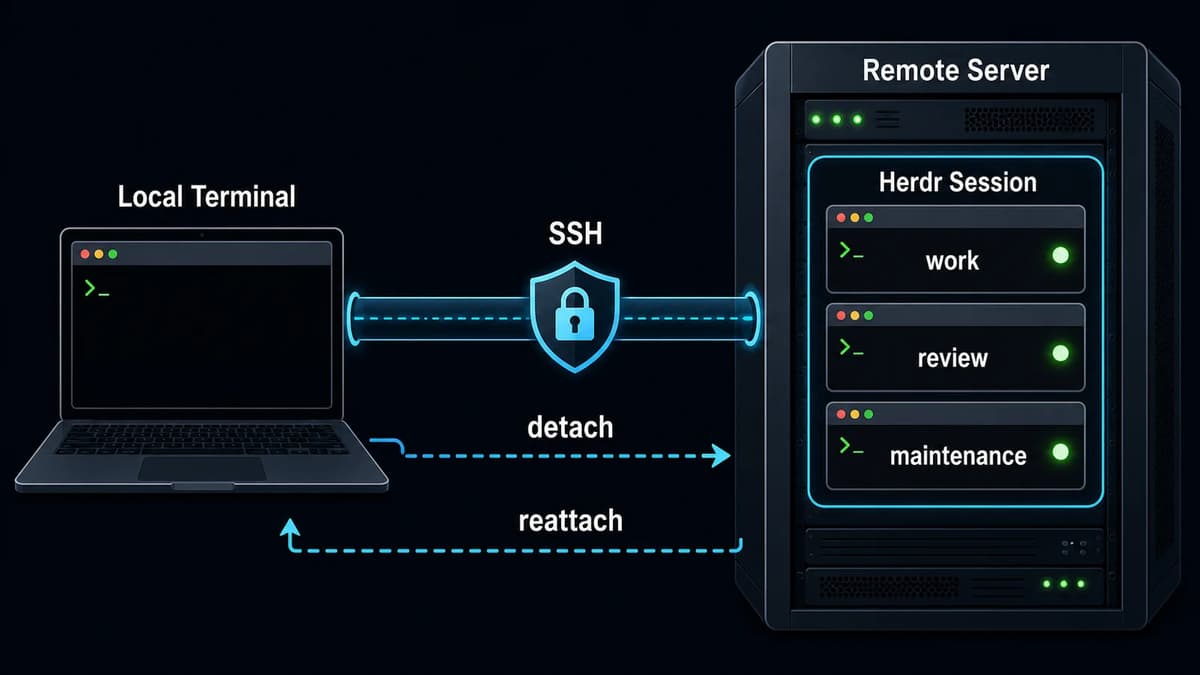
Herdr runs panes in a background server. Detaching the client does not stop the panes or AI coding agents, so you can reconnect later. This is useful for long tests, builds, and research tasks on a remote server.
The default detach action is prefix+q: press ctrl+b, then q. Reattach on the same host by starting Herdr again.
bash
herdr
Detach is not the same as stopping a session. Use the session commands when you want to stop the server and its panes.
Separate work with named sessions
Named sessions provide independent Herdr servers. Each session has its own panes, tabs, workspaces, sockets, and runtime state, while sharing the global configuration file.
In this mode, local Herdr connects over SSH, starts or attaches to the remote Herdr server, and streams the UI back to the local terminal. The official documentation also describes bridging a local image clipboard into the remote session through a temporary remote file.
Use SSH config
Define repeat targets in the standard SSH config:
sshconfig
Host workbox
  HostName server.example.com
  User you
  Port 2222
Then connect with the alias:
bash
herdr --remote workbox
Run ssh-add first when your environment requires the key to be loaded into ssh-agent. Herdr uses local keybindings for remote attach by default, preserving local muscle memory.
Remote named sessions
Combine a remote target with a named session:
bash
herdr --remote workbox --session agents
Names such as work, review, and maintenance keep long-running agents separate from urgent operations.
Operational safety checklist
Prefer SSH key authentication over exposed passwords
Install a matching Herdr binary and each required agent CLI on the remote host
Never store agent API keys or tokens in the repository
Avoid concurrent edits to the same file by multiple agents
Do not confuse detach with session stop
Check long-running tasks and unsaved changes before server maintenance
Use --json for automation instead of parsing human output
The official documentation lists Linux and macOS hosts on x86_64 and aarch64 for remote attach. Interactive runs can offer to install a missing matching binary, while non-interactive runs fail instead of modifying the host.
Remote operation is practical because it combines persistent server-side agents with a familiar local terminal experience. Start with one host and one named session, then split sessions only when responsibilities grow.
Using Herdr over SSH: Keep AI Agents Running on a Remote Server
*Diagram: A local terminal connects to a persistent Herdr session over SSH, detaches without stopping work, and later reattaches.*